
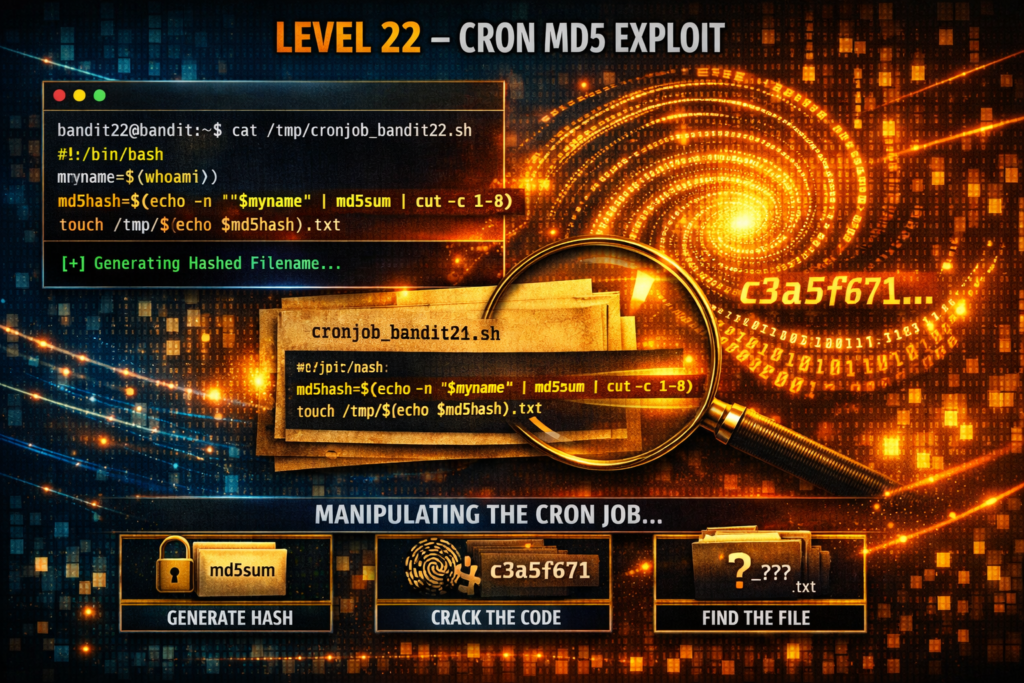
Level 22 → 23: Script Analysis (Variables and Hashing)
The Challenge
The Objective: You are currently logged in as bandit22. Your objective is to find the password for bandit23. Similar to the previous level, this password is being handled by an automated cron job, but the destination file is no longer hardcoded.
The Constraints:
- You are logged in as
bandit22. - You must locate and analyze the cron job script for
bandit23. - The script uses dynamic variables and cryptographic hashing to generate a unique, randomized filename. You must manually reverse-engineer the script’s logic to calculate exactly what that filename will be.
The Solution
The Concept: Dynamic Variables and Emulation If you trace the cron job for this level, you will find a shell script that looks significantly more complex than the last one. Instead of a static filepath, it uses variables (words starting with $) to make decisions on the fly.
The script contains a line that looks like this: myname=$(whoami)
When a script runs, the whoami command checks which user account is currently executing it. Because the cron daemon is scheduled to run this script under the bandit23 user account, the $myname variable secretly becomes “bandit23”.
The script then takes that name, wraps it in a sentence, and pipes it through the md5sum command. MD5 is a hashing algorithm that takes any input of text and scrambles it into a fixed, 32-character hexadecimal string.
The Trap: You cannot simply run the script yourself to see what happens. If you execute it, whoami evaluates to bandit22, the MD5 hash changes completely, and the script generates a dummy file containing your current password, not the target password. To beat the level, you must manually run the MD5 hashing command in your terminal, explicitly replacing the $myname variable with bandit23.
Execution: Calculating the Target Follow these steps to trace the script, calculate the hash, and extract the file.
Step 1: Investigate the cron directory and read the script for bandit23. Type the following commands, pressing Enter after each:
Bash
cat /etc/cron.d/cronjob_bandit23
cat /usr/bin/cronjob_bandit23.sh
(Analyze the script output. Note the exact sentence being echoed into the md5sum command).
Step 2: Replicate the script’s core logic manually. Replace the $myname variable with bandit23. Type the following command exactly as it appears below, paying strict attention to spacing, then press Enter:
Bash
echo I am user bandit23 | md5sum | cut -d ' ' -f 1
(The terminal will output a 32-character hash, typically 8ca319486bfbbc3663ea0fbe81326349. The cut command was used to cleanly slice off the trailing dash that md5sum normally outputs).
Step 3: Now that you have mathematically proven what the cron job named the file, read it from the temporary directory. Type the following command (using your hash if it differs) and press Enter:
Bash
cat /tmp/8ca319486bfbbc3663ea0fbe81326349
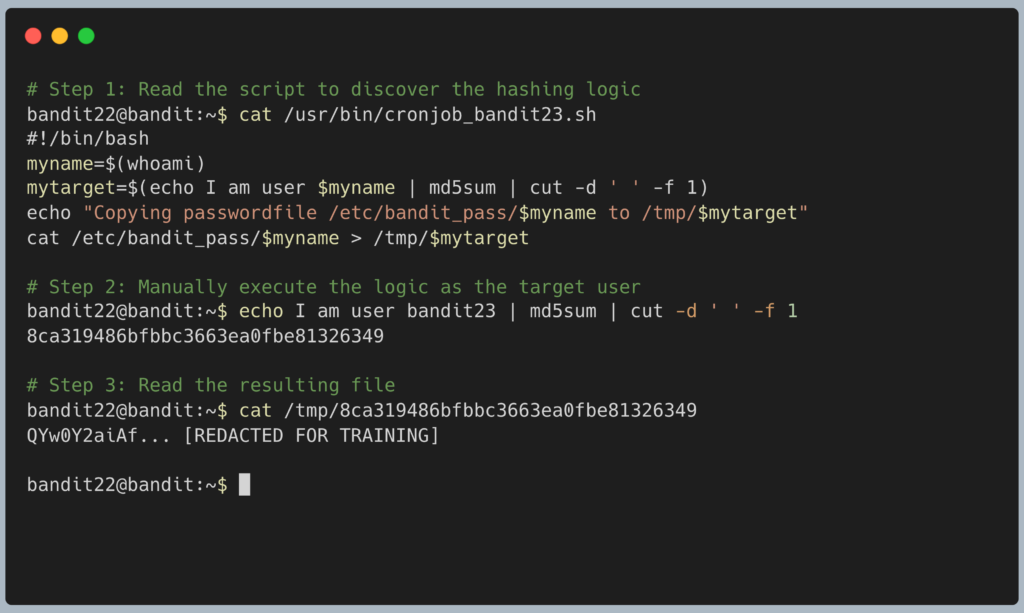
The terminal will output the password for Level 23. Copy this text to your clipboard. Type exit to close your connection, and get ready to SSH back in as bandit23.
DevOps in the Wild Why do scripts go through all this trouble instead of just using normal filenames? Collision prevention. In a busy cloud environment, multiple users or automated services might run the same exact script simultaneously. If the script creates a generic temporary file like /tmp/backup.log, the different users will constantly overwrite each other’s data, corrupting the system. By using variables and hashing (like md5sum), the script guarantees that every single user gets a perfectly unique workspace that cannot conflict with anyone else.
Troubleshooting Pitfalls If your terminal is throwing errors, here is what went wrong:
- Error:
cat: /tmp/...: No such file or directoryYou made a typo in Step 2. Theechocommand is highly sensitive. If you typedecho "I am user bandit23"(with quotes) or added an extra space, the MD5 algorithm will generate a completely different hash. You must exactly mimic the formatting found in the script. - The output is the password I already have (
bandit22) You ignored the concept instructions and just executed the.shfile directly. You must manually run theechocommand and substitute the target user’s name.
Pingback: OverTheWire Bandit Challenge series – DigiSpidey