

Level 5 → 6: The Needle in the Haystack (Mastering find)
The Challenge
The Objective: You are currently logged in as bandit5. Your objective for this level is to find the password hidden somewhere beneath the inhere directory.
The Constraints:
- You are logged in as
bandit5. - The
inherefolder contains a massive labyrinth of subdirectories. - You do not know the file’s name.
- You only know three distinct properties about the target file:
- It is human-readable (ASCII text).
- It is exactly 1033 bytes in size.
- It is not executable.
The Solution
The Concept: Search by Property, Not by Name Manually navigating through dozens of folders and running file and ls -la in each one would take hours. Instead, we use find.
The find command is the most powerful search utility in Linux. It does not just search by filename; it can filter the entire filesystem by file size, creation date, permissions, owner, and type. By combining the specific constraints given in the directive, you can ask the server to filter out everything that does not match your exact criteria.
Here is a breakdown of the specific flags required for this search:
.: Start searching right here, in the current directory.-type f: Only look for standard files, ignoring folders.-size 1033c: Look for files exactly 1033 bytes in size. Thecstands for characters (bytes).! -executable: The exclamation point acts as a logical “NOT”. It returns files that cannot be executed as programs.
Execution: Locating and Extracting Follow these steps to craft the search query and extract the password.
Step 1: Move into the starting directory. Type the following command and press Enter:
Bash
cd inhere
Step 2: Construct the find command using the three constraints to locate the exact path of the file. Type the following command exactly as it appears below, then press Enter:
Bash
find . -type f -size 1033c ! -executable
(The terminal will output a single file path, such as ./maybehere07/.file2.)
Now that the system has isolated the correct file, read its contents.
Step 3: Type the cat command followed by the exact path provided by your terminal in the previous step, then press Enter:
Bash
cat ./maybehere07/.file2
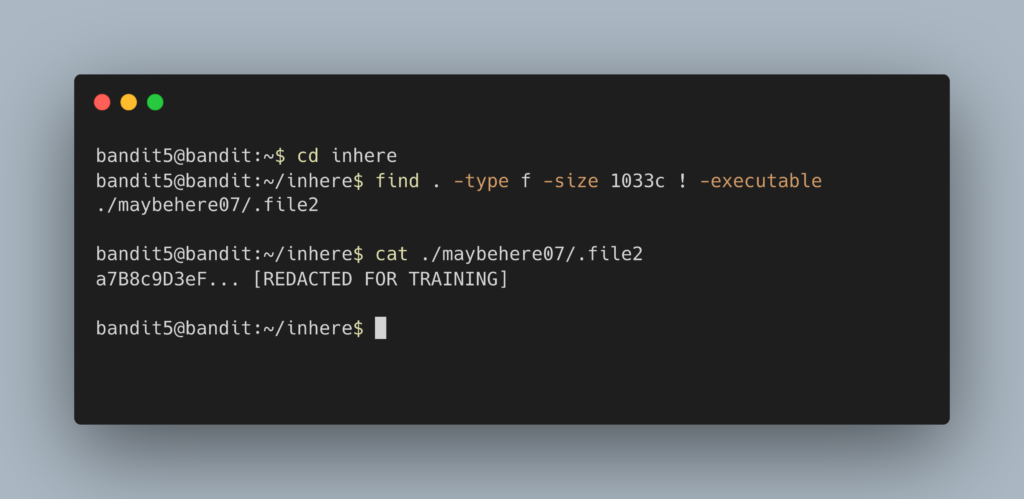
The terminal will output the password. Copy this text to your clipboard. Type exit to close your connection, and get ready to SSH back in as bandit6.
DevOps in the Wild A junior DevOps engineer will use this exact command structure to hunt down massive, forgotten log files that are silently filling up a production server. For example, running find /var/log -type f -size +1G instantly locates any standard file over 1 Gigabyte in the log directory, allowing the engineer to clear space and save the server from crashing due to a full hard drive.
Troubleshooting Pitfalls If your terminal is throwing errors or returning too many files, here is what went wrong:
- The command returns a massive list of files, not just one You likely forgot the
cin1033c. Without thec, Linux searches for files that take up exactly 1033 512-byte storage blocks, rather than 1033 literal bytes. - Error:
find: paths must precede expressionYou missed the.(dot) right after the wordfind. You must explicitly tell the command where to start searching before you give it the filters. - Error:
No such file or directoryon thecatcommand You likely mistyped the file path thatfindgave you. You must include the sub-directory (e.g.,./maybehere07/) when usingcat.