

Level 9 → 10: Extracting Text from Binary (The strings Command)
The Challenge
The Objective: You are currently logged in as bandit9. Your objective for this level is to find the password stored in a file named data.txt located in your home directory.
The Constraints:
- You are logged in as
bandit9. - The
data.txtfile is not a standard text file; it is filled with a massive amount of unreadable binary data. - The password is one of the few human-readable strings hidden inside this file.
- The password is immediately preceded by a sequence of equal signs (
=).
The Solution
The Concept: Parsing Binary for Printable Characters If you attempt to read data.txt using the cat command, the terminal will try to render raw binary code. This will flood your screen with garbage characters, trigger system beeps, and likely break your terminal’s character encoding.
Furthermore, if you try to search the file directly using grep "=" data.txt, the system will simply output Binary file data.txt matches. Linux knows the equal signs are inside the file, but it protects you by refusing to print the surrounding binary data to your screen.
To solve this, you need a specialized command: strings. The strings command scans a file and extracts any sequence of printable, human-readable text characters, completely ignoring the unreadable binary data. By extracting the readable text first, you can then use a pipe (|) to send that clean, filtered text directly into grep to search for the equal signs.
Execution: Locating and Extracting Follow these steps to extract the hidden text from the binary file.
Step 1: Verify the file is in the directory and confirm its data type. Type the following commands, pressing Enter after each:
Bash
ls
file data.txt
(The system will confirm that data.txt is raw “data”.)
Now that you know you cannot open it normally, use the extraction pipeline.
Step 2: Extract the human-readable strings and pipe them into your search command. Type the following command exactly as it appears below, then press Enter:
Bash
strings data.txt | grep "=="
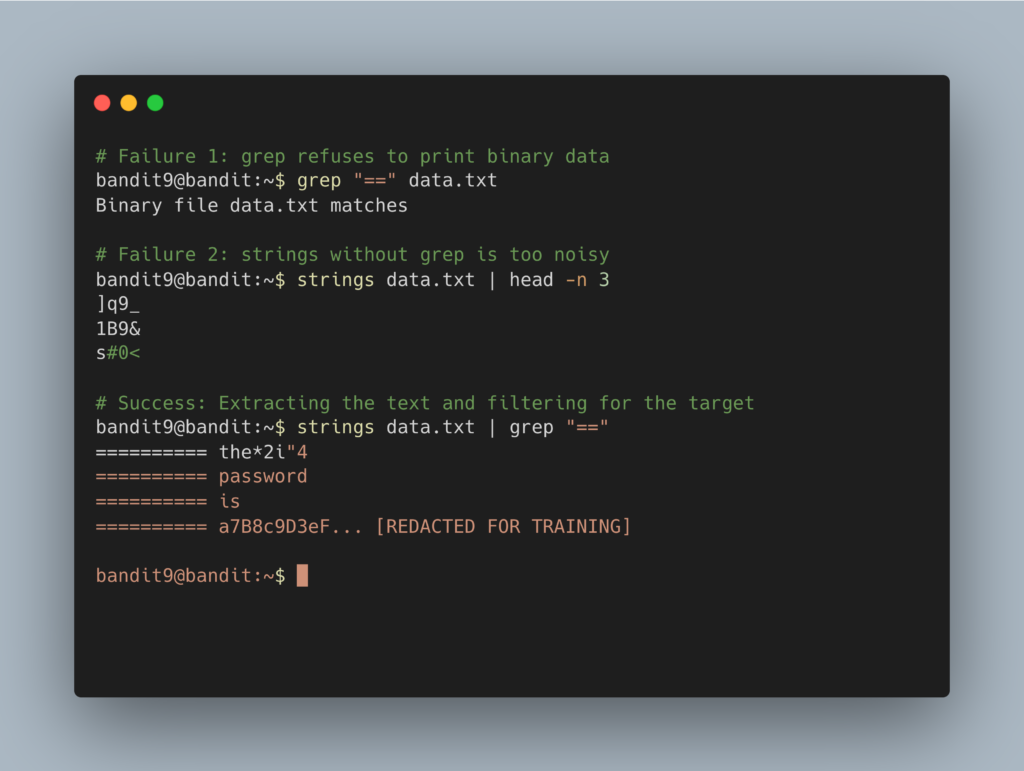
The terminal will output a few lines of text containing equal signs, one of which will hold the password. Copy the alphanumeric password to your clipboard (do not copy the equal signs). Type exit to close your connection, and get ready to SSH back in as bandit10.
DevOps in the Wild The strings command is a foundational tool for cybersecurity analysts and reverse engineers. When analyzing a piece of unknown malware or a suspicious compiled executable, security researchers will run strings on it before doing anything else. This allows them to quickly discover hardcoded IP addresses, malicious URLs, or internal developer notes hidden inside the compiled code without ever having to actually execute the dangerous file on their system.
Troubleshooting Pitfalls If your terminal is returning incorrect data or throwing errors, here is what went wrong:
- My terminal is printing alien symbols and is completely broken You used
cat data.txt. Typeresetand press Enter to restore your terminal’s normal formatting. - The output just says
Binary file data.txt matchesYou tried to usegrepdirectly on the binary file. You must usestringsfirst to convert the binary into standard text before passing it to the search tool. - The command scrolled hundreds of lines of random text You likely ran
strings data.txtwithout piping it intogrep "==". The file contains many random readable strings, so you must filter the output to find the exact target line.