

Level 8 → 9: The Power of Piping (Sorting and Unique Data)
The Challenge
The Objective: You are currently logged in as bandit8. Your objective for this level is to find the password stored in a file named data.txt located in your home directory.
The Constraints:
- You are logged in as
bandit8. - The
data.txtfile contains thousands of lines of text. - The password is the only line of text in the entire file that occurs exactly once. All other lines are duplicated multiple times.
The Solution
The Concept: Data Pipelines and Adjacency To isolate a single unique line of text from thousands of duplicates, you need to use two separate commands (sort and uniq) and link them together using a core Linux feature called a Pipe (|).
- The Pipe (
|): The vertical bar on your keyboard is a pipe. It takes the output (stdout) of the command on the left and immediately feeds it as the input (stdin) to the command on the right. It allows you to chain small, single-purpose tools together into complex data processing pipelines. - The Sorter (
sort): This command reads a file and rearranges every line in strict alphabetical or numerical order. - The Filter (
uniq): This command filters out duplicate lines. However, it has one major limitation: it only compares adjacent lines. If line 1 and line 10 are identical,uniqwill not notice. It only triggers if line 1 and line 2 are identical.
Because of uniq‘s limitation, you cannot just run uniq on the raw file. You must first use sort to group all the identical lines together, and then pipe that organized list directly into uniq. Finally, you use the -u flag on uniq to instruct it to only print lines that have zero duplicates.
Execution: Locating and Extracting Follow these steps to build your first data pipeline and extract the password.
Step 1: Verify the file is in the directory with you. Type the following command and press Enter:
Bash
ls
(You should see data.txt output on your screen.)
Now that you have confirmed the file’s presence, process the data using a pipeline.
Step 2: Type the following command exactly as it appears below, ensuring you use the vertical pipe symbol (usually Shift + \ on most keyboards), then press Enter:
Bash
sort data.txt | uniq -u
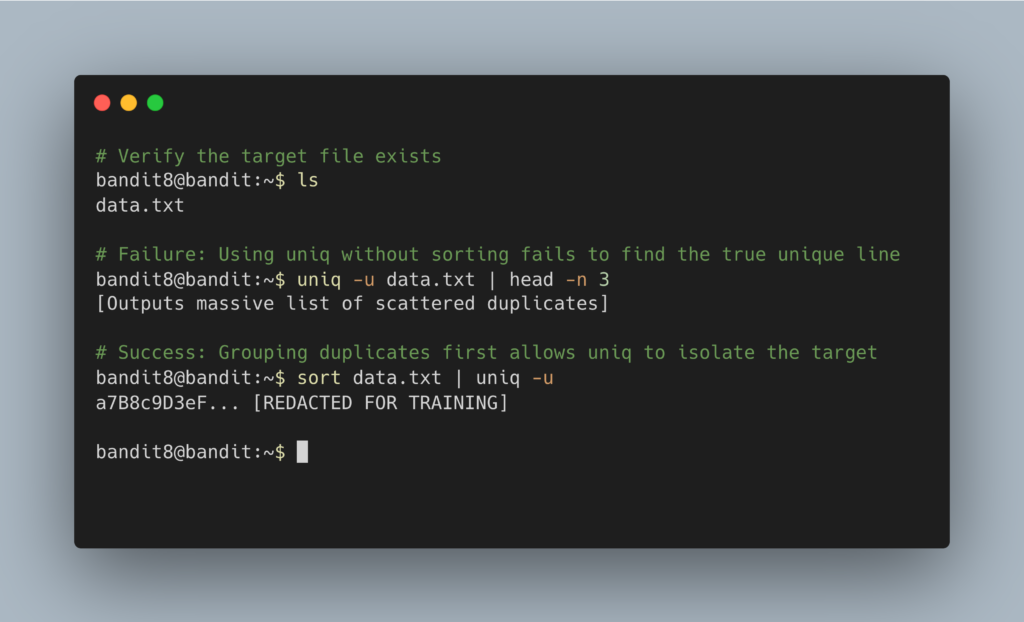
The terminal will process the pipeline and output the single, unique password. Copy this text to your clipboard. Type exit to close your connection, and get ready to SSH back in as bandit9.
DevOps in the Wild Piping sort into uniq is a foundational data analysis technique for system administrators. For example, if a web server is under a Denial of Service (DoS) attack, an engineer might extract the IP addresses from the server logs, pipe them into sort, and then pipe them into uniq -c (which counts the duplicates). This instantly reveals which single IP address is hitting the server 50,000 times a minute, allowing the engineer to block it in the firewall.
Troubleshooting Pitfalls If your terminal is returning incorrect data or throwing errors, here is what went wrong:
- The command returned the entire file, not just one line You likely ran
uniq -u data.txtwithout sorting it first. Because the duplicate lines in the raw file are scattered and not touching each other,uniqassumes every single line is unique. You mustsortit first. - Error:
command not foundYou may have typed a capitalIor a lowercaselinstead of the vertical pipe|. The pipe symbol is typically located above the Enter key. - The terminal cursor drops to a new line and hangs You likely typed
sort | uniq -ubut forgot to includedata.txt. Without a file to read, thesortcommand is waiting indefinitely for you to type data on your keyboard. PressCtrl + Cto cancel.