
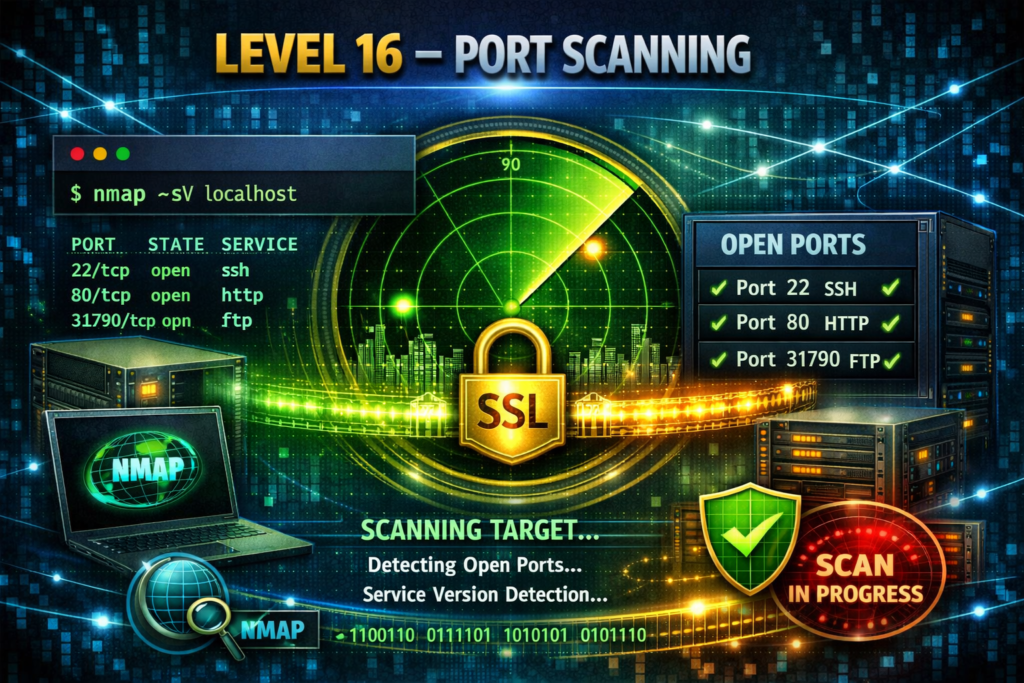
Level 16 → 17: Port Scanning (Introduction to Nmap)
The Challenge
The Objective: You are currently logged in as bandit16. Your objective for this level is to find the credentials for bandit17. To get them, you must submit your current bandit16 password to a specific port on localhost. However, the exact port number is unknown; it is hidden somewhere in the range of 31000 to 32000.
The Constraints:
- You are logged in as
bandit16. - There are multiple open ports in the 31000-32000 range.
- Some open ports will simply echo back whatever you type into them.
- Only one specific port expects an encrypted SSL connection and will return the credentials for the next level.
- Warning: The reward for this level is not a standard text password, but a full SSH Private Key.
The Solution
The Concept: Network Enumeration and Nmap When you do not know which doors on a server are locked, which are open, or what services are running behind them, you must perform a “port scan.”
The industry standard tool for this is Nmap (Network Mapper). Nmap probes a target IP address or hostname and maps out its entire network footprint.
For this challenge, you need to combine Nmap with two specific flags:
- The Port Range (
-p): Scanning all 65,535 possible ports takes a long time. The-p 31000-32000flag restricts Nmap to only scan the specific range provided in your constraints. - Service Version Detection (
-sV): If you just run a standard scan, Nmap will only tell you if a port is “open” or “closed.” By adding-sV, you instruct Nmap to interrogate the open ports and determine exactly what kind of software is running on them (e.g., standard HTTP, SSH, or an SSL-encrypted service).
Execution: Scanning and Extracting Follow these steps to map the local network, identify the target, and extract the key.
Step 1: Retrieve your current bandit16 password so it is ready to paste. Type the following command and press Enter:
Bash
cat /etc/bandit_pass/bandit16
(Copy the output string to your clipboard).
Step 2: Scan the localhost port range using Nmap with Service Version detection. Type the following command exactly as it appears below, then press Enter:
Bash
nmap -p 31000-32000 -sV localhost
(Review the output table. You will see several ports. Ignore the ones labeled just “echo”. Look for the port running an SSL service, typically 31790).
Step 3: Now that you have the exact port number, use the openssl client you learned in the previous level to connect to it. Type the following command (substituting the port number if yours is different) and press Enter:
Bash
openssl s_client -quiet -connect localhost:31790
Step 4: Paste your bandit16 password and press Enter.
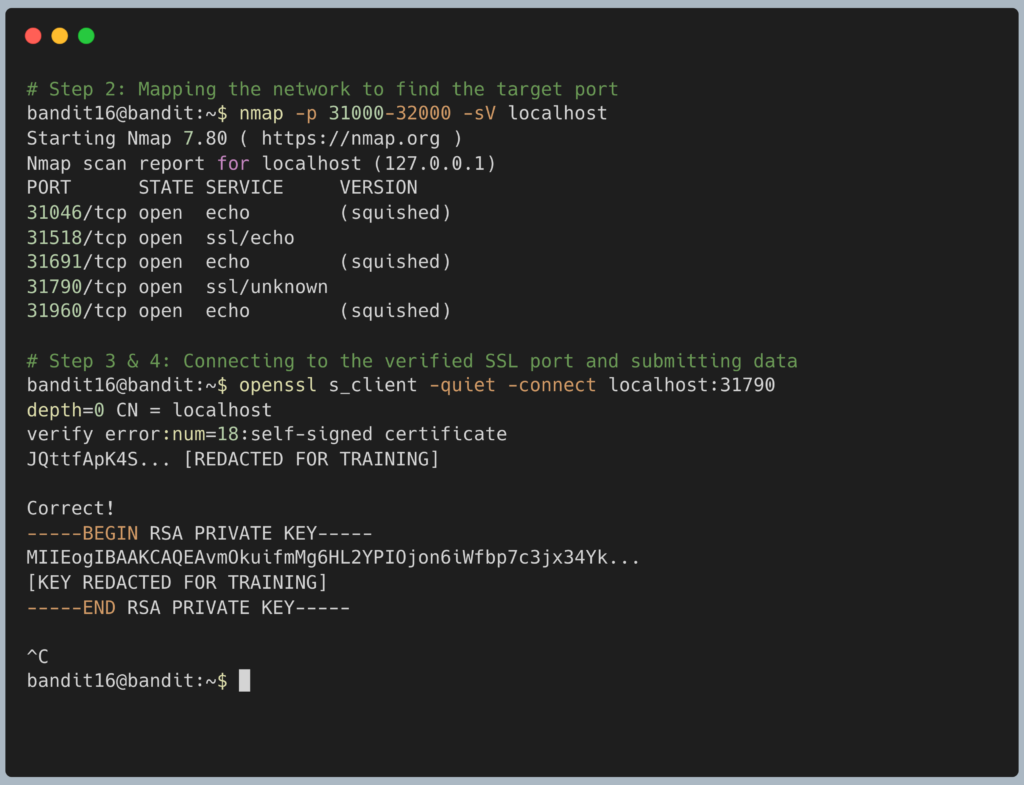
The server will verify your password and output a massive block of text. This is an RSA Private Key. Copy the entire block of text, starting exactly from -----BEGIN RSA PRIVATE KEY----- all the way down to -----END RSA PRIVATE KEY-----.
Because this is a private key, you cannot simply copy-paste it into a password prompt. You must save it to a file on your local computer. Log out of the server by typing exit, create a text file on your own machine named sshkey17.private, and paste the key inside.
DevOps in the Wild Network administrators and security auditors use Nmap constantly. Before a company launches a new web application, a DevOps engineer will run an Nmap scan against the production server from the outside internet. This ensures that only ports 80 (HTTP) and 443 (HTTPS) are exposed, verifying that developers did not accidentally leave an internal database port completely open to the public.
Troubleshooting Pitfalls If your terminal is returning incorrect data or throwing errors, here is what went wrong:
- I connected, pasted my password, and the server just repeated my password right back to me You connected to the wrong port. Look at your Nmap output again. You likely connected to one of the decoy ports running the “echo” service. Disconnect (
Ctrl + C) and try the other open SSL port. - The Nmap command seems frozen It is not frozen; Service Version detection (
-sV) requires Nmap to actively talk to every open port it finds to figure out what it is. Give it 10 to 15 seconds to finish its analysis.
Pingback: OverTheWire Bandit Challenge series – DigiSpidey